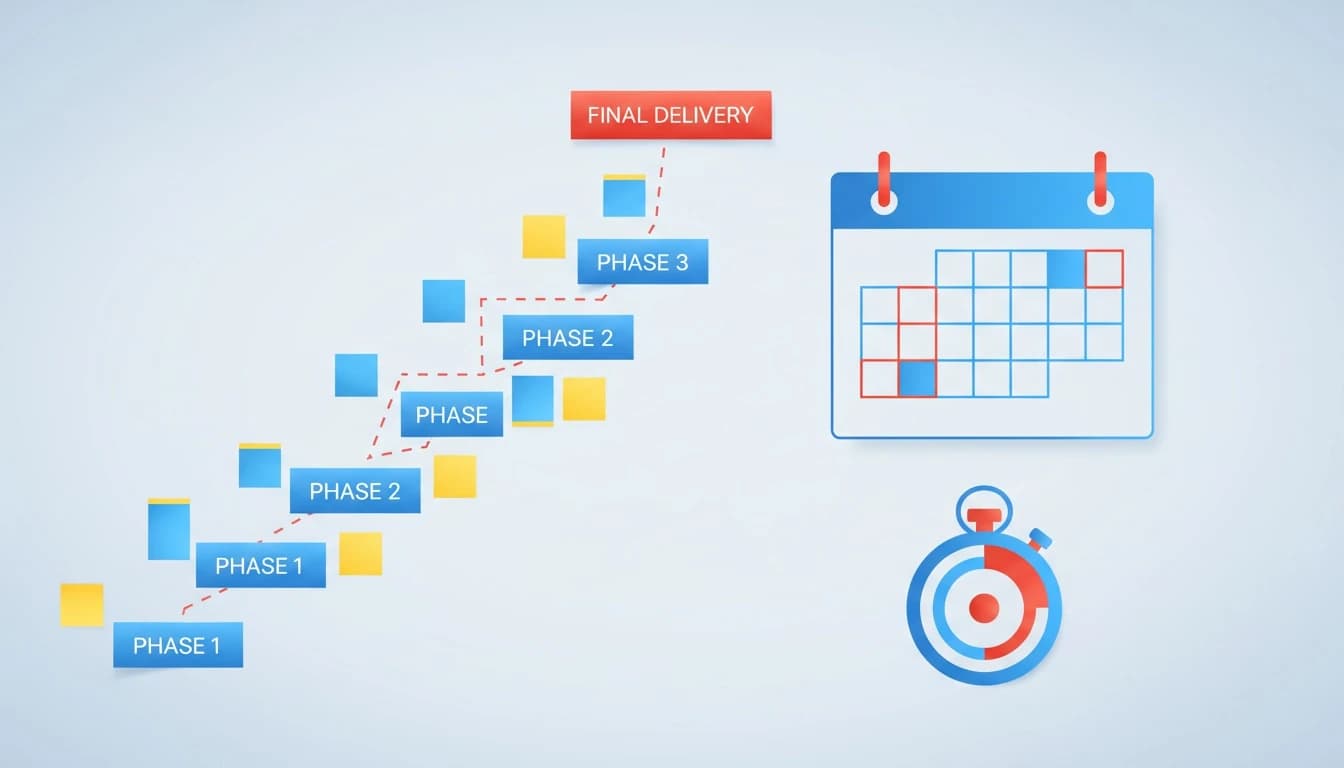
Backward planning is a decision framework for hitting fixed deadlines: you start from the non-negotiable end date and work backward to define milestones, dependencies, buffers, and scope tradeoffs before execution begins. This guide shows exactly how to define an end state, build a backward schedule with a critical path, and keep the plan coherent when constraints change mid-flight.
What is the backward planning model (as a decision framework) and when does it beat forward planning?
The backward planning model is a planning method where you define the finished outcome first, then work backward to determine the required steps, dependencies, and decision points that must happen to reach that outcome by a fixed date. As a decision framework, it forces clarity on what must be true at each checkpoint, not just what you hope to do.
Forward planning is fine when the path is known and the deadline is flexible. Backward planning wins when the deadline is fixed, the work is cross-functional, and “unknown unknowns” hide inside integration, reviews, and approvals.
In practice, I reach for backward planning when any of these are true: you have external launch commitments, procurement lead times, compliance reviews, platform migrations, partner dependencies, or a team that keeps discovering “one more thing” late in the cycle. It’s also the antidote to optimistic Gantt charts that ignore reality.
A useful mental model: forward planning optimizes for activity; backward planning optimizes for constraints. That makes it closer to decision science than project theater.
If you want a broader refresher on how teams choose structures like this, start with Lucid’s guide on how to choose a decision framework for your team and come back with your specific deadline problem.
Critical path: the longest chain of dependent tasks that determines the earliest possible finish date. If you slip a critical path task, you slip the deadline. (See PMI’s overview of critical path basics via reputable summaries if you need a formal refresher.)
Scenario analysis: evaluating multiple plausible futures (best case, expected, worst case) and pre-deciding what you will do under each. It is a core tool in decision theory and decision science.
For reference, the Project Management Institute frames critical path and schedule management as foundational to delivering on time in its standards and guides (see Project Management Institute).
How do you define the end state and success criteria?
The first job is not “make a plan.” The first job is to make the finish line real.
The end state should be specific enough that a stranger can tell whether you shipped it. I typically write it as a one-paragraph release definition plus a short set of measurable acceptance criteria.
Start with four fields, written in plain language:
1) Deadline and immovable constraints.
Name the date and why it cannot move (contract, event, regulatory window). List constraints like “legal review required,” “mobile app store approval,” “data migration must be reversible,” or “cannot exceed X budget.”
2) Success criteria (measurable).
Avoid vanity criteria like “users like it.” Use observable measures: “payment flow supports refunds,” “p95 latency under 300ms,” “support team trained with runbook,” “NPS survey sent to cohort,” “feature flag rollback tested.” If you need KPI structure, the right framing is that KPIs are measurable signals of success, not the work itself. Google’s own research on effective goal setting popularized OKRs as measurable outcomes (see Google re:Work on OKRs).
3) Non-goals (what you will not do).
This is where most teams fail. Non-goals are not “nice-to-haves.” They are explicit exclusions: “No multi-currency in v1,” “No self-serve admin portal,” “No SSO,” “No migration of legacy reports.” You are buying schedule certainty with scope.
4) Definition of done (operational).
Shipping is not “merged to main.” Done includes monitoring, support readiness, documentation, and rollback. I insist on a production validation checklist because post-launch fires are schedule debt.
When you document this, you’re not writing a spec. You’re creating a decision model: a shared reference for weighing options when tradeoffs appear.
How do you work backward into milestones, dependencies, and options?
Backward planning is easiest when you treat it as a sequencing problem, not a task list. Order matters.
Here’s the workflow I use with product and project leads. It’s strict because it has to be.
Step 1: Identify the last responsible moment tasks
Ask: “What must be complete immediately before we can declare the end state done?” Typical examples: release candidate signed off, migration executed, app store approved, training delivered, comms scheduled.
Write those as milestone gates, not tasks. A gate is binary: it either happened or it didn’t.
Step 2: Expand each gate into dependency chains
For each gate, list the prerequisites that must be true. This is where hidden dependencies surface: security review lead time, procurement, data backfills, QA environment stability, partner sandbox access.
A quick way to smoke out dependencies is to run a lightweight decision flowchart: if this gate fails, what are the branches? That often reveals missing work like rollback paths or parallel build tracks.
Step 3: Mark the critical path and protect it
Once you have dependency chains, identify which chain is the longest and least parallelizable. That’s your critical path. Protect it with buffers and by removing optional work from it.
I use two buffers:
Integration buffer: time for things that only break when systems meet (APIs, auth, data).
Approval buffer: time for humans outside your team (legal, security, finance, app stores).
The U.S. GAO has repeatedly documented how complex programs slip when risk and schedule realism are ignored (see GAO reports for broader schedule credibility research and examples). You don’t need a federal-sized program to learn the lesson.
Step 4: Build a milestone table, not a wall of tasks
A backward plan should be readable in 60 seconds. A milestone table forces discipline.
Milestone (gate)
Latest finish date
Depends on
Owner
Risk buffer
Release candidate approved
T-7 days
QA pass, security signoff, release notes
Eng lead
2 days
Security signoff complete
T-14 days
threat model, pen test window
Security
3 days
Integration complete
T-21 days
API contracts, staging stability
Platform
4 days
Scope lock (non-goals final)
T-28 days
end state criteria agreed
PM
0 days
This is also where a decision making matrix becomes useful. When two options compete for the same time window, score them against the success criteria, risk, and reversibility. Keep the matrix simple: 4-6 criteria max, weighted if needed.
Step 5: Pre-decide tradeoffs (scope cuts and swaps)
The plan will get hit. The difference between calm execution and chaos is whether you already agreed on what to cut.
I recommend writing a “scope tradeoff menu” tied to time saved and consequence. Example: “Drop advanced filters (saves 5 days, consequence: support burden).” This is weighing options with consequences up front, not in a panic.
This is where tools like Lucid’s options board shines because you can keep multiple paths side-by-side with pros/cons and downstream effects, then update fast when a constraint shifts. If your team is still debating frameworks, Decision Frameworks: The Complete Guide is a solid grounding before you operationalize the backward plan.
How do you keep the plan updated as constraints change?
A backward plan is only valuable if it stays consistent as reality changes. Most plans fail because updates happen in scattered docs and partial conversations, so the decision logic drifts.
The fix is a tight operating cadence with explicit constraint review.
Run a weekly “constraint and assumption” review
Start the meeting with two lists: assumptions and constraints. If either changed, the plan changes.
Common assumption failures I’ve seen in real launches:
“Partner will deliver on time” turns into “partner is blocked on their legal team.”
“QA can start next week” turns into “staging is unstable after infra changes.”
“App store approval is quick” turns into “rejected for metadata or privacy disclosure.”
When one changes, don’t just move dates. Re-run the dependency chain and re-check the critical path.
Use scenario analysis to prevent thrash
Scenario analysis is not a slide. It’s a set of pre-approved actions.
I typically maintain three scenarios:
Scenario
Trigger
Plan change
Pre-decided tradeoff
Expected
No major slips
Execute baseline milestones
None
Risk case
Any critical path slip > 3 days
Activate buffers, freeze scope
Drop lowest-value scope item
Worst case
External dependency fails
Switch to fallback option
Ship reduced end state with comms
This is also where a rational decision making model helps: define the problem, identify criteria, generate alternatives, evaluate, choose, then monitor. The monitoring step is where most teams stop, and it’s why plans rot.
Keep options, pros/cons, and consequences aligned as the timeline shifts
When constraints change, the team usually debates options in chat, then updates the schedule later, then updates the spec never. That creates three competing realities.
A better pattern is to keep a single decision board that contains:
the current end state and success criteria
the options on the table (including scope cuts)
pros/cons and second-order consequences
the milestone table and critical path notes
the current scenario (expected, risk, worst)
Lucid is built for that exact workflow: you can write or record the messy situation, generate an options map, and compare paths in Grid/Table/Focus views while the board stays consistent as inputs change. If you’re building this into a broader team workflow, the product and UX angle in how product managers and UX teams use a personal AI assistant includes practical patterns for keeping decisions and artifacts from drifting.
One sentence I’ve repeated to teams for years: If the plan cannot explain why a decision was made, it will be re-litigated.
A practical template you can copy for your next deadline
If you want to implement this tomorrow, don’t start with software. Start with a one-page artifact you can paste into a doc.
Use this structure:
End state paragraph (what shipped, for whom, by when)
Success criteria (5-8 measurable checks)
Non-goals (3-7 explicit exclusions)
Milestone table with latest finish dates (6-12 gates)
Critical path statement (one paragraph)
Buffers (integration and approval) with owned dates
Scenario plan table (expected, risk, worst)
Scope tradeoff menu (3-5 cuts with time saved + consequence)
That’s enough to run the project. Anything beyond that is usually noise.
If your team struggles with alignment, add a lightweight consensus decision making rule: who is the decision owner, who must be consulted, and what “disagree and commit” looks like. Without that, backward planning becomes a debate club.
Frequently Asked Questions
What are the pros and cons of AI for planning and decision-making?
The pros of AI are speed, consistency, and the ability to surface options and second-order consequences you might miss under time pressure. The cons are overconfidence in generated outputs and the risk of encoding bad assumptions unless you explicitly review constraints, data sources, and decision criteria.
What are the 5 pros and 5 cons of AI?
Pros: rapid synthesis, pattern detection, scenario generation, drafting artifacts, and reducing repetitive analysis. Cons: hallucinations, bias amplification, weak domain context, poor accountability, and privacy risks if sensitive data is handled carelessly.
How do you calculate the MAP?
MAP usually refers to maximum a posteriori estimation in statistics, which combines a prior distribution with observed data to find the most likely parameter value. It’s not part of backward planning, but it does show up in decision science models when you’re estimating uncertain outcomes.
What are the 5 key performance indicators?
There isn’t a universal set; KPIs must map to your success criteria. For deadline-driven launches, common KPIs include schedule variance, defect escape rate, deployment failure rate, lead time for changes, and customer impact metrics tied to the release goal.
Next step: turn your deadline into a decision-ready board
Start by writing your end state and success criteria in one page, then build the milestone table backward from the deadline and mark the critical path. Once you have two or three viable paths (baseline, reduced scope, fallback), capture them in a single options map so tradeoffs stay explicit when constraints change.
If you want that map generated and kept consistent as inputs shift, create a Lucid board and compare paths side-by-side in minutes: create your Lucid account.